Every AI Coding Agent Is Single-Player. We Built One a Team Can Share.
Sush is the two-person studio Suraj and I run from Chennai, and I design its apps. The main one is the Sush harness, a desktop coding agent with a multiplayer mode: a team on the same network can join one live agent session to watch, suggest or drive it, and hand the driver's seat to each other without anyone starting over. We started in 2024; the harness shipped in 2026 and went from v1.0 to v2.2 in sixteen days. Alongside it are Yammer, an on-device dictation app, and Plinth, a design canvas still in private development.
The harness and Yammer are free downloads. The multiplayer page has a recorded two-person session.
The Gap
Business gap
Suraj and I first tried this in 2024, with an AI chatbot called Luna. It did not turn out the way we wanted, and we shelved it. This year we decided to build it again, renamed it Sush, and started over from the design process instead of the code. The gap we kept running into was that every AI coding agent is single-player. One person, on one machine, talks to it. The moment someone else needs to pick the work up, the context is gone: you paste a summary into a chat, they open their own agent, and it starts fresh without any of the conversation, the tool calls or the reasons behind the last ten changes.
User gap
Picture a small team on the same network. I am mid-session with the agent and want to go and grab a coffee. Today I either stop the run or leave it unattended. With Sush I hand the driver's seat to Suraj, he keeps talking to the agent inside the same session, with all of its history, and I take it back when I return. The rest of the team can watch, suggest a message, or talk it through with each other and with the agent. That raises the host's questions at once: who can see my folder, who is typing right now, and can a teammate's message make the agent run something on my computer that I would not have allowed.
How I worked
Research
Restarting gave us something Luna never had: a shelved product to learn from. Before drawing any screens we went back to the basics, the logo and the user journey, mapping what someone does from opening the app to trusting it with a folder. The first real decision came out of that map. We could tie Sush to one model, which is simpler to design and to build, or support many. We chose many, so people can use whatever model they already pay for or run locally, and that one choice shaped the settings, the model picker on the composer and the keychain-only handling of keys.
Strategy
Two rules shaped the design. The first is that the session, not the person, owns the context, so handing over is a change of driver and never a fresh start. The second is that nothing the agent does should be invisible or permanent by default, which matters more once several people can steer it. In the interface that means each turn ends with a card listing the files it changed, with line counts and an Undo per file. The sandbox state is stated in plain words, including the Windows case where blocking the network needs admin rights, and the app says so rather than implying a protection it lacks. Requests that reach outside the sandbox ask first and say why.
Wireframes
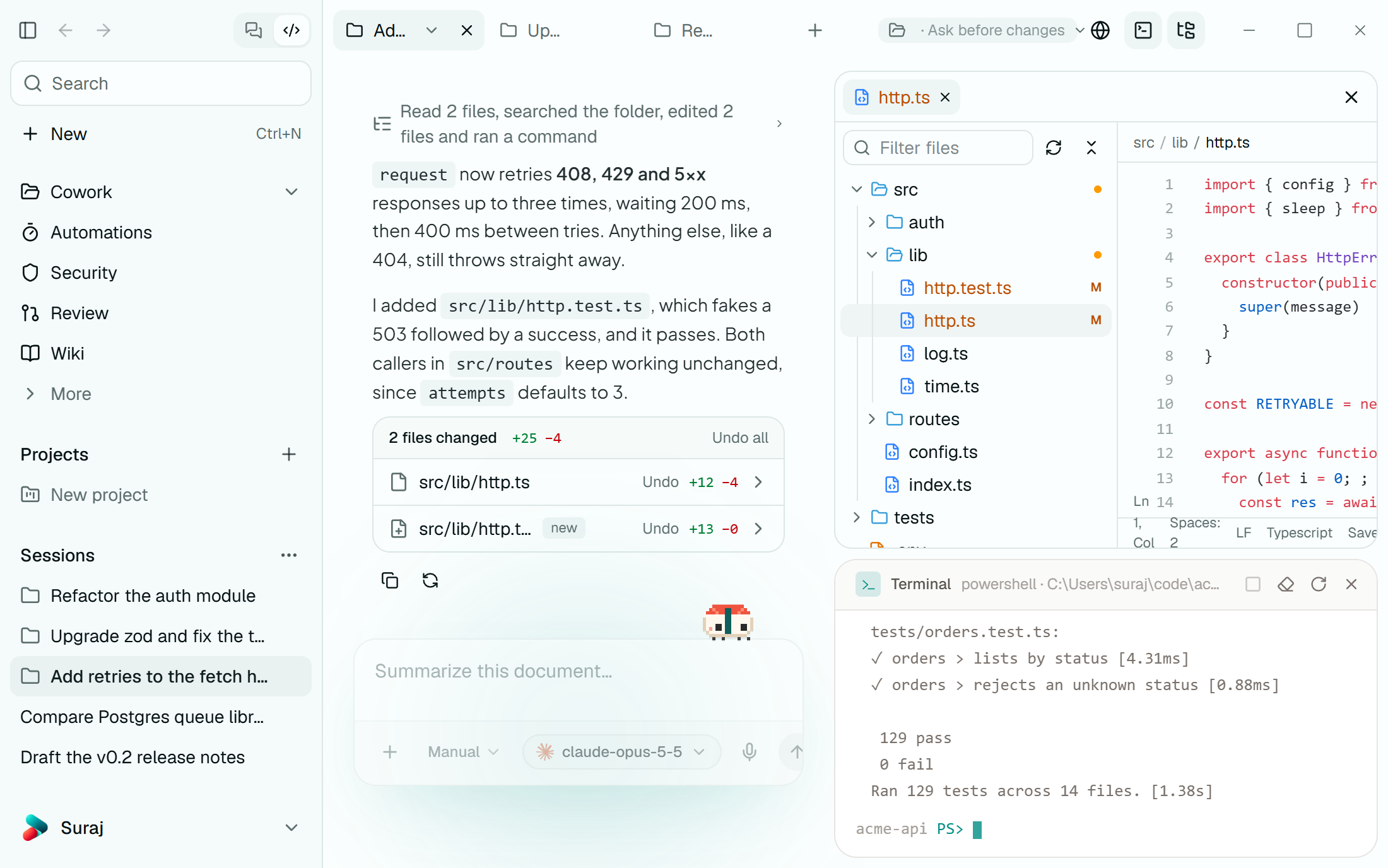
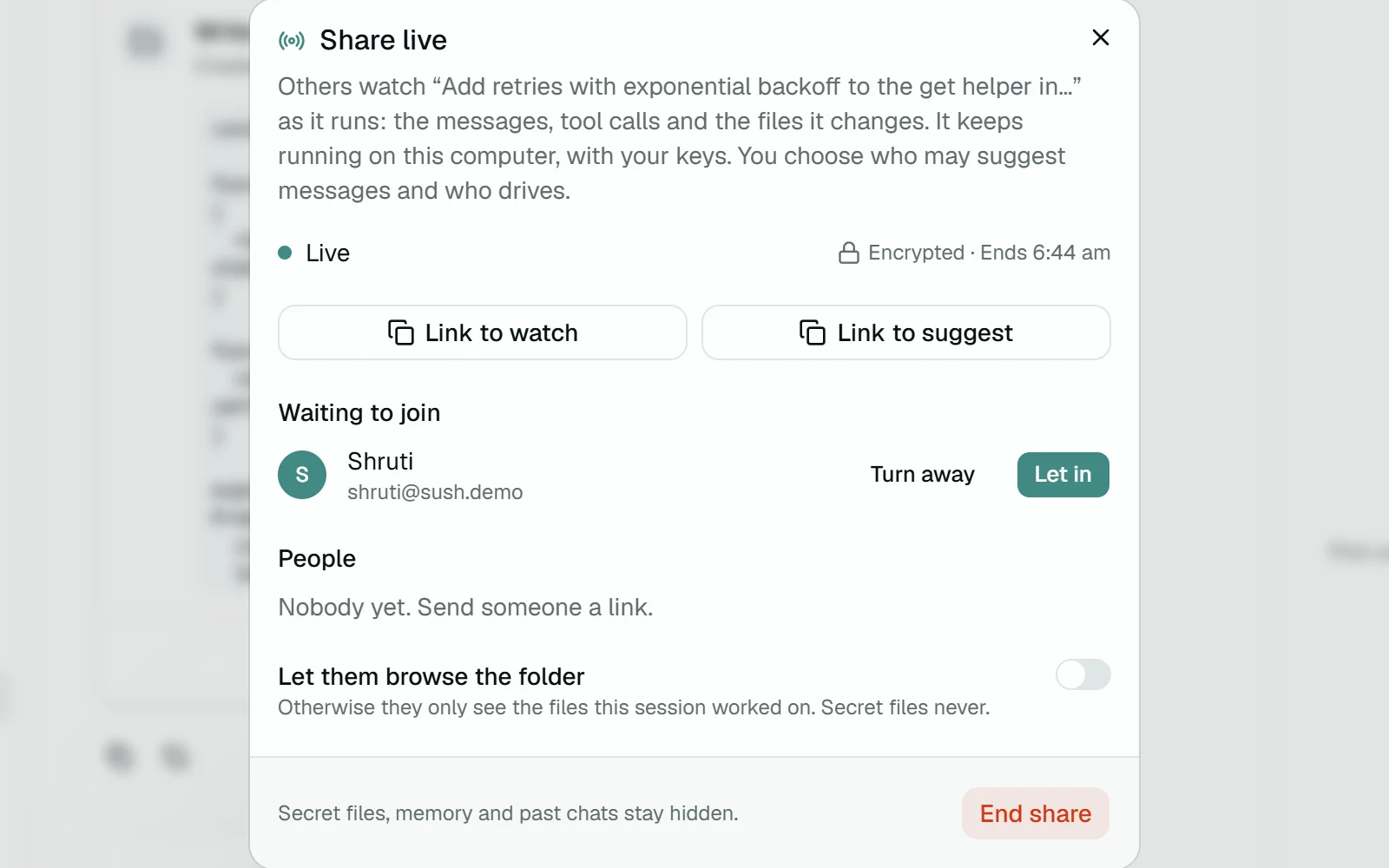
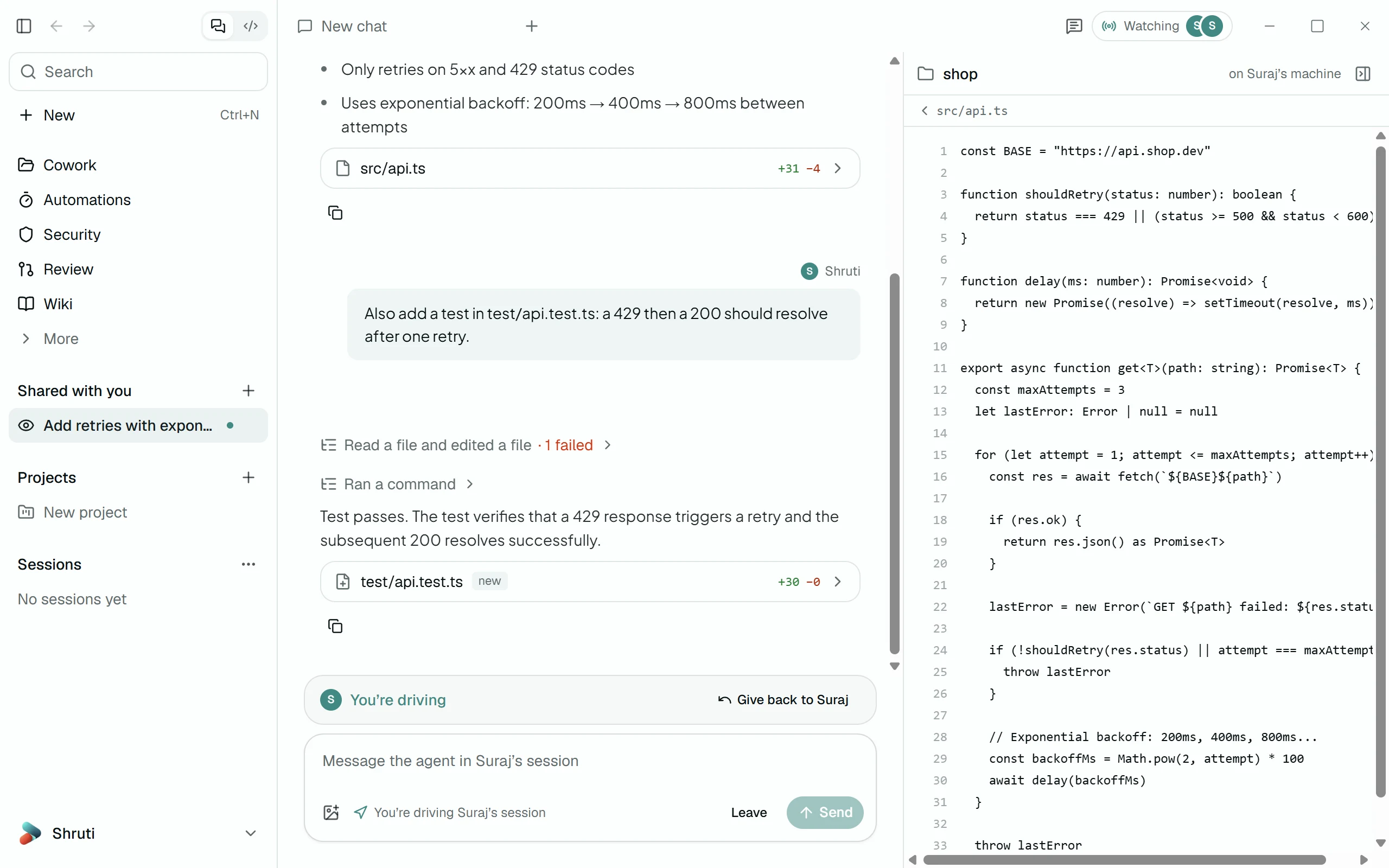
The Cowork layout was settled early: chat on the left, file tree, editor and terminal on the right, so the agent's claim ('129 pass') and the evidence (the terminal saying 129 pass) sit side by side. Multiplayer follows the journey map closely, as a chain of handoffs: invite, knock, admit, assign a role, request control, hand control back. Each handoff is one component: a lobby row with Turn away and Let in, a three-role picker (Watches, Suggests, Drives), a banner that tells you when you are the driver, and a single Give back button.
Iterations
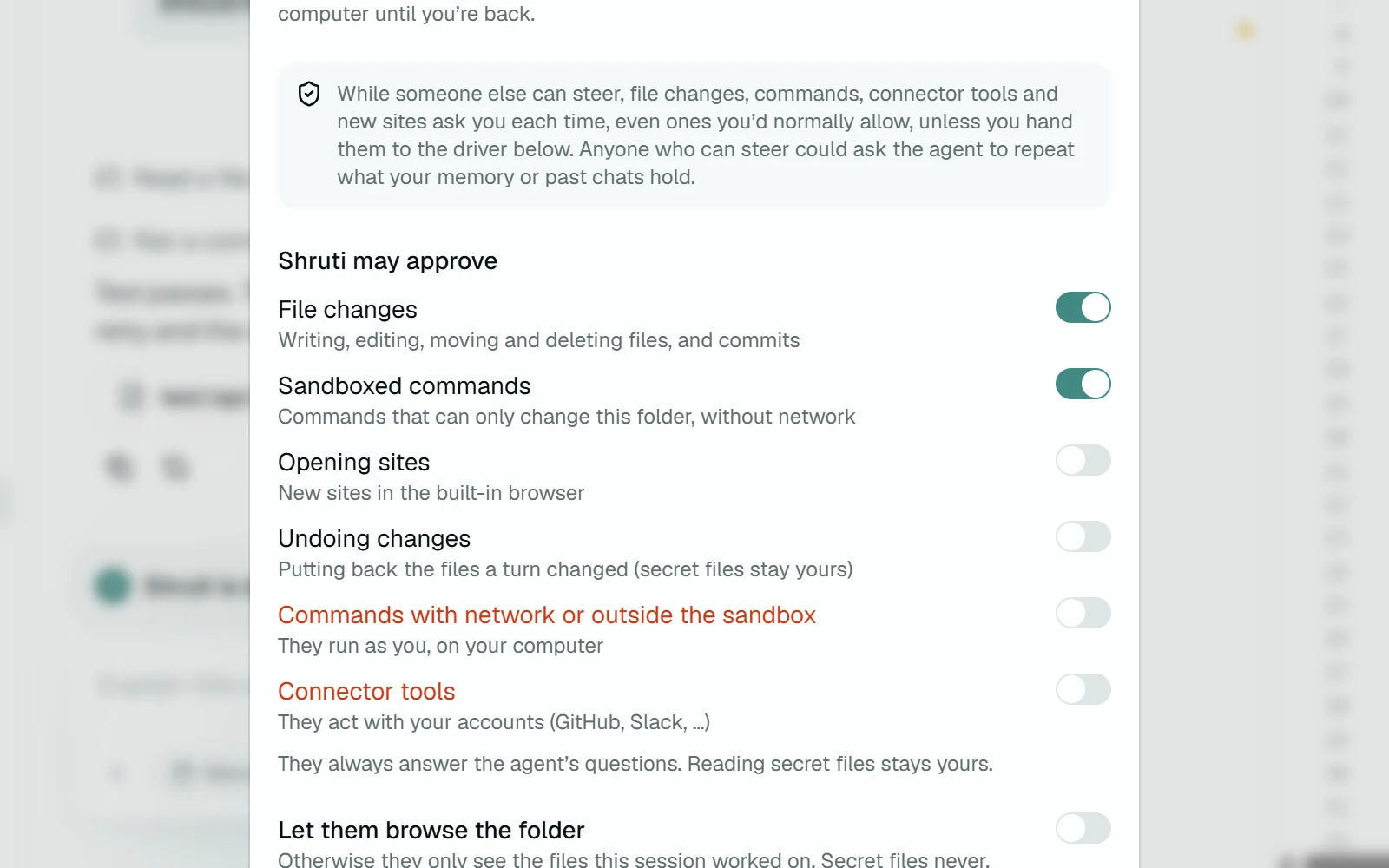
The family grew as we went. Alongside the harness we wanted speech to text, and the dictation app started life as Larp before we renamed it Yammer (the word still turns up in its own Insights screen). Suraj suggested the apps needed a character, and then the character itself: Sush plus an i is Sushi, so the mascot became a nigiri with legs. We kept Sushi as its name because it is what my friends called me in college. The delegation panel is where the trust thinking shows most. A single 'let this person approve actions' toggle would have been simpler, but file edits inside the folder and a command with network access carry very different risk. So it lists six kinds of approval separately. The two that act as the host on their own computer, network commands and connector tools, are set in red and start off. The panel also says out loud that anyone who can steer could ask the agent to repeat what memory holds, which is the kind of sentence a settings screen usually leaves out.
What we built
Multiplayer is the centre of the harness. The host picks Share live from a session's menu and sends a link to watch or a link to suggest. Teams point everyone at a relay, which can run on one machine on the local network or anywhere else the team chooses, and every share is end-to-end encrypted with the key in the link, so the relay only sees ciphertext. Guests wait in a lobby until the host lets them in, then watch, suggest or drive. Only one person drives at a time, their messages join the run labelled with their name, and the host takes control back with one click. Comments sit beside the session and never reach the agent, and a viewer with no app installed can open the link in a browser. Underneath, the harness is a desktop chat app for Windows, macOS and Linux that becomes a coding agent when you grant it a folder. Commands run in the OS sandbox (Seatbelt, bubblewrap, or a restricted token on Windows), and files are checkpointed before every edit, so a turn or a single file can be undone in one click.
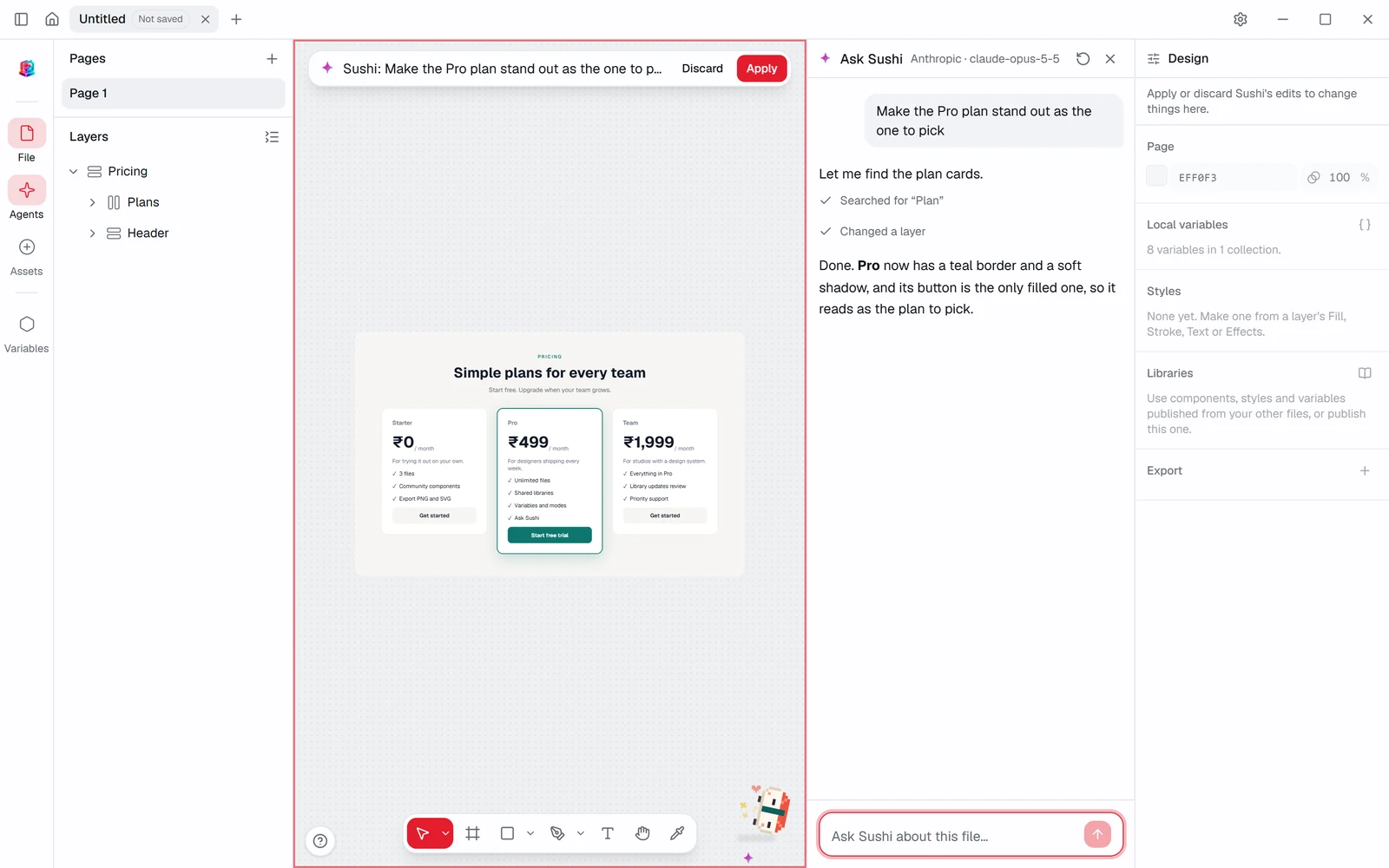
The agent works with whichever model the user brings: Anthropic, OpenAI, Bedrock, Azure, OpenRouter, Groq, or a local model through Ollama or LM Studio. Keys go to the OS keychain and never reach the app's web view. The same principle carries into the other two apps. Yammer types what you say into whatever field has the cursor, transcribing with Whisper on the device, and its optional cleanup pass sends only text, never audio, and falls back to the raw transcript if the model times out. In Plinth, Sushi's edits arrive as a preview on the canvas with Discard and Apply, and one undo reverts the whole turn.
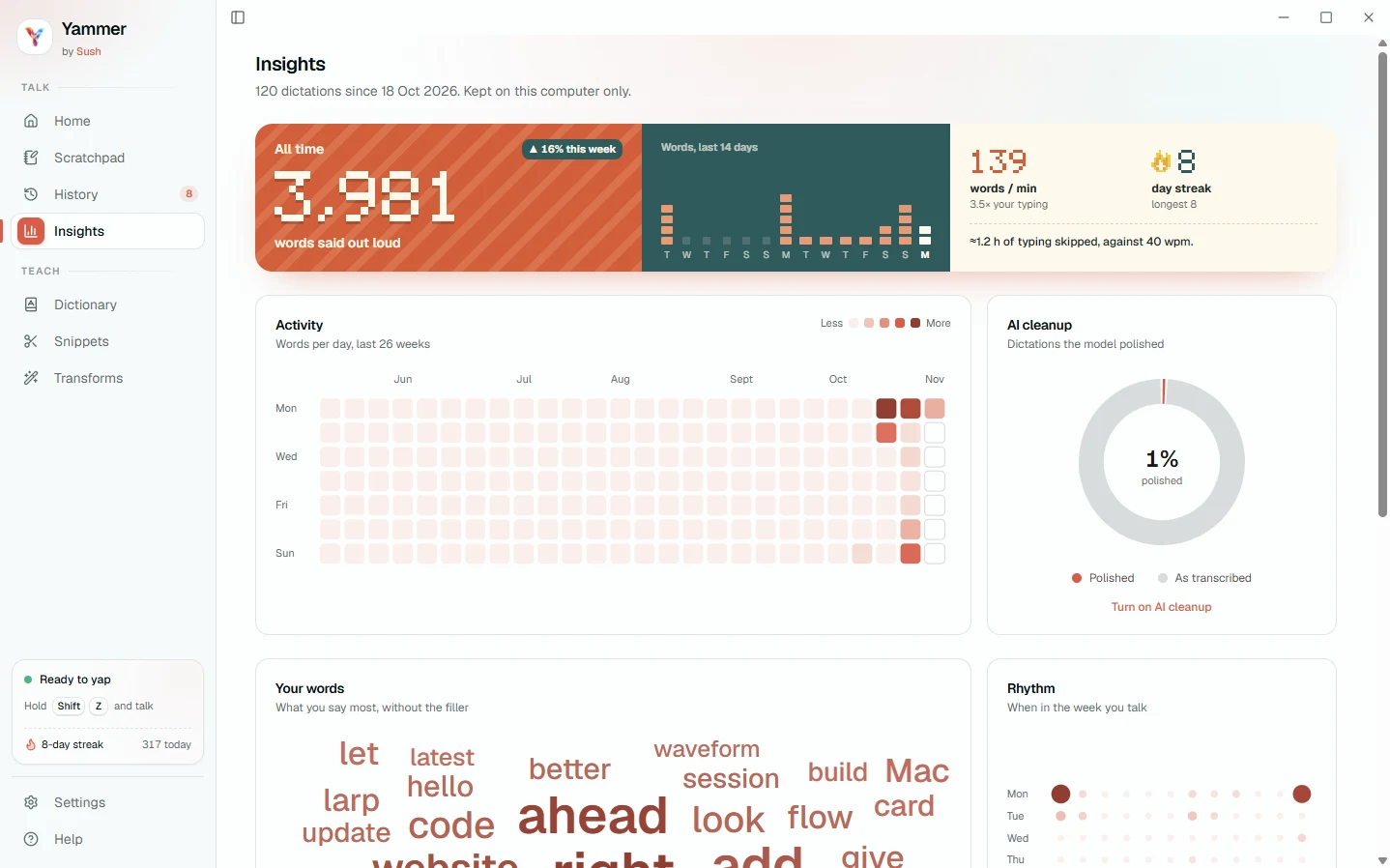
One shell across three apps: a left rail for navigation and sessions, a quiet near-white working surface, and a muted teal for the primary action. Red is used only for the two things that are hard to take back, ending a share and the risky approvals. Each app gets its own accent so they read as siblings rather than copies: Yammer is warm terracotta, with an Insights page built on a 26-week activity heatmap and a pixel display numeral. Sushi is a 16 by 11 pixel sprite drawn in code from eight colours, with no image files, so the same character renders sharp on the composer, the Yammer dictation pill and the website. It has seven moods, and with reduced motion on it stands still while everything else keeps working.
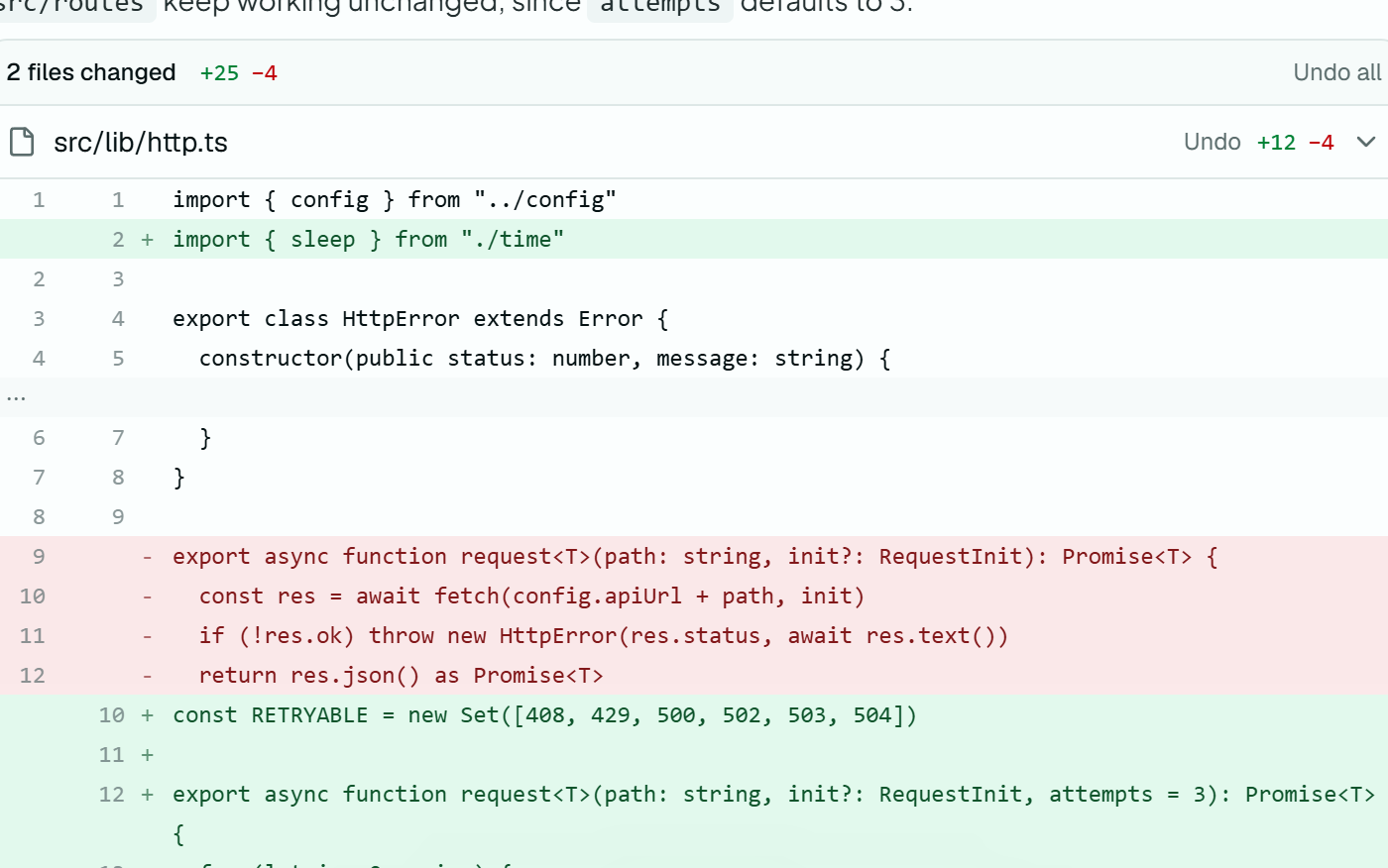
What changed
Results
The harness and Yammer are open source on GitHub. The harness shipped v1.0 on 10 October 2026 and v2.2 sixteen days later, and v2.3 followed on 2 November. As of 3 November, GitHub counts 38 installer downloads of the harness across six releases and 84 of Yammer across seven, the first of which still ships under the name Larp. We have applied to Y Combinator with Sush. My component library is listed on the Sush apps page as the studio's fourth product. Plinth, which opens Figma, Sketch and Penpot files and keeps a relayout of 5,000 auto-layout layers under 8 ms per edit in its release test, lives in a private repository until it is ready.
Learnings
Making an agent multiplayer is mostly a trust problem, and trust comes from small, boring surfaces: a lobby, a banner that says who is driving, a changed-files card, a Give back button in the same place every time. The impressive part of the product is the model, and it is the part I designed least. The second lesson came from Luna. Shelving a product is not wasted work if the restart begins with the journey instead of the code.
Next steps
Plinth is the next release: an AI design platform where people can lay out mockups and wireframes, with Sushi or the harness editing alongside them. On the harness, the download page still links only the Windows installer, so macOS and Linux need the same one-click path.
Next project
One Clear Record, From the Surgery Board to the Pet Parent's PhoneMediClear · Veterinary Practice OS · Client Product · 2026
See all works